Perpetuity / Poster & Calendar Maker

Poster & Calendar Maker

From raw photos to a 300 DPI, print-ready file — no other design software needed.
Built for the print-on-demand workflow. Windows, one-time payment.

Windows · Founder Access · One-time payment · All future updates included · or try it free for 3 days
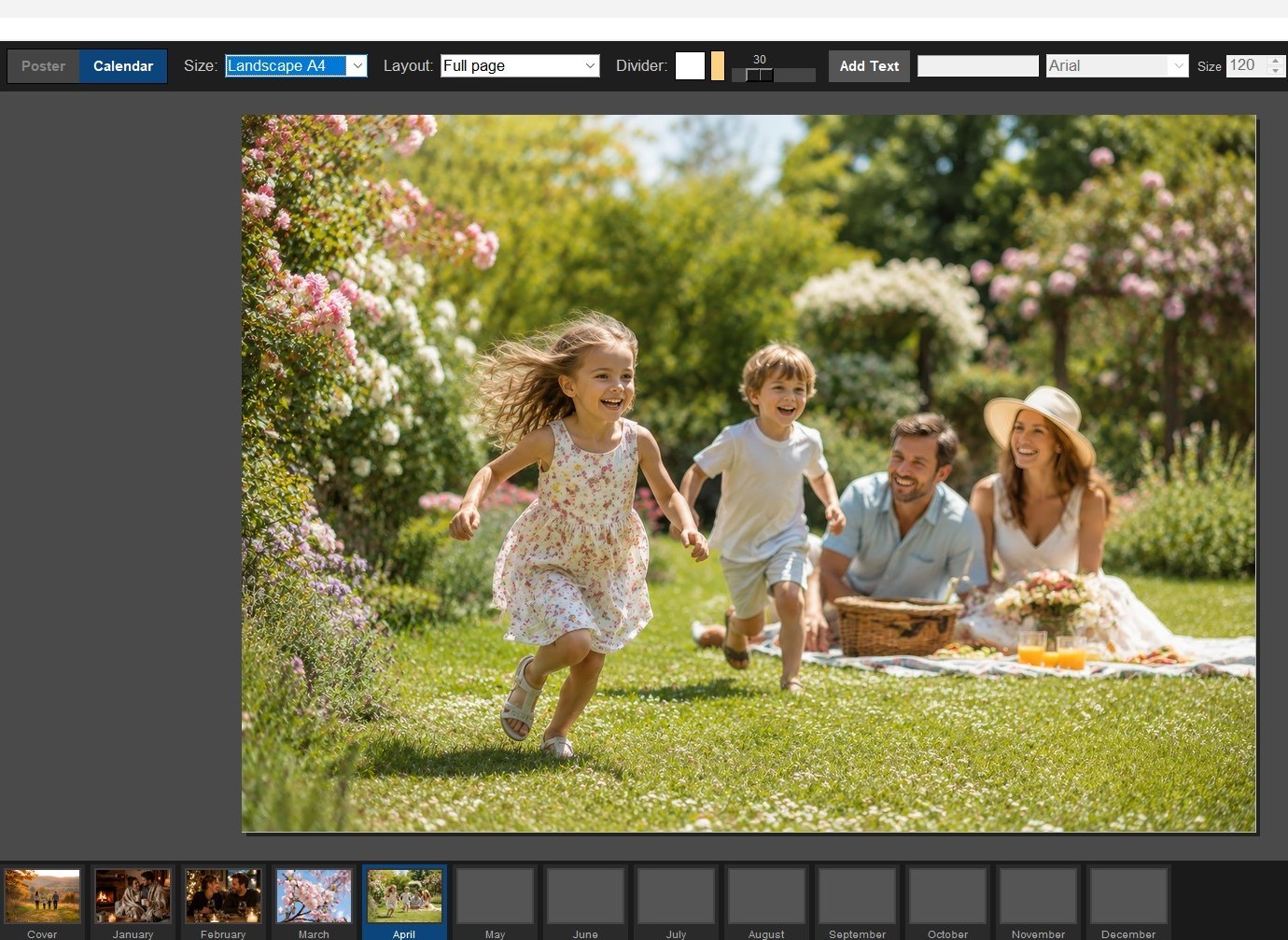
Poster & Calendar Maker — in-app screenshot

Design software and print prep,
in one app.

No Photoshop, no Canva subscription, no separate mockup tool. Drop in photos, lay them out, and export a file that’s already sized for print.

⊞
Two tools, one app
Poster Mode for single pieces, Calendar Mode for a full 13-page personalised calendar — cover plus all 12 months. Same layout tools, same drag-and-drop workflow, either way.
Poster Mode Calendar Mode
◙
Built for print-on-demand
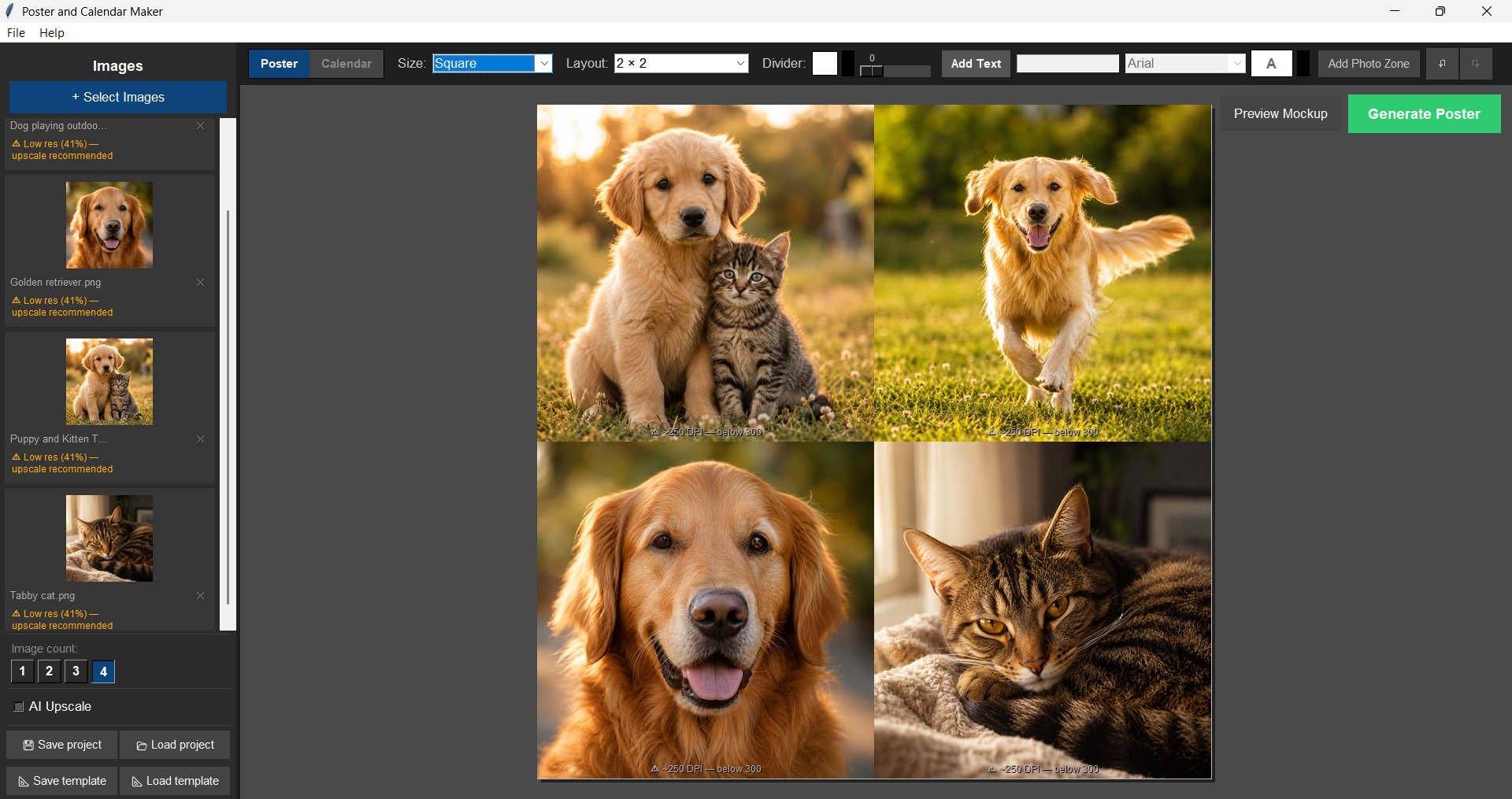
Every layout is sized correctly for Printful, Printify, Gelato and other major POD services from the start. Real-time DPI warnings mean you’ll never send a blurry file to print.
300 DPI export DPI warnings
▶
AI upscaling, built in
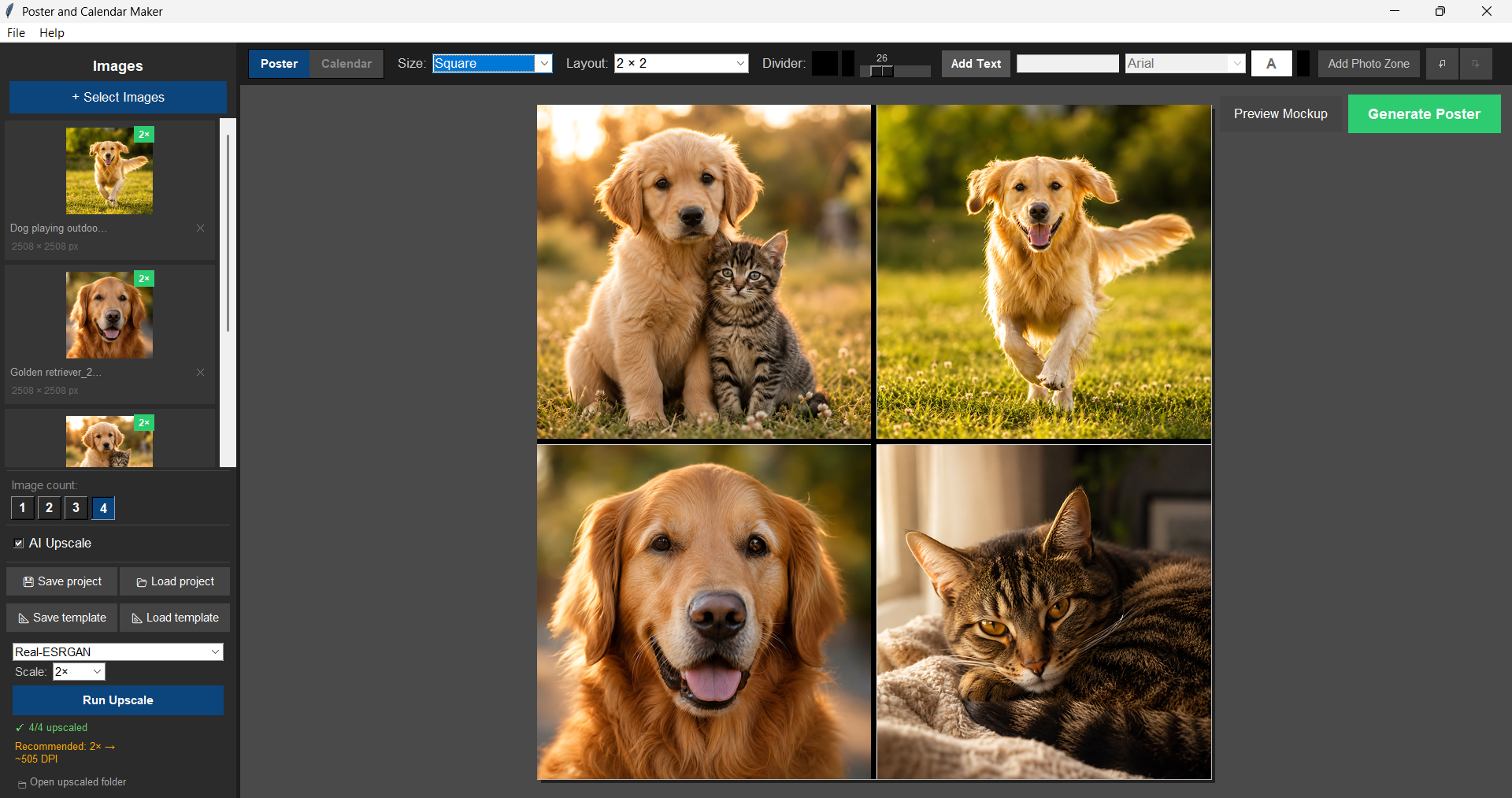
Low-res photos still print sharp thanks to a bundled AI upscaler — no extra install required. Already have Topaz Photo AI or Gigapixel AI? The app detects it automatically.
Bundled upscaler Topaz-aware

Everything in Poster & Calendar Maker

A complete, fully working app — everything below is live today.

01 / Poster Mode
From four photos to a print-ready poster
Portrait, landscape, or square — drag photos in, position them exactly how you want, export at 300 DPI.
✓
Portrait & landscape layoutsA4, A3, and square (3000×3000px), with 1–4 photo grids that auto-adapt to your photo count.
✓
Independent zoom, pan & cropZoom up to 4× per photo, fill the frame or fit the whole image — your choice.
✓
Drag to swap photosSwap photos between cells with a simple drag, no re-importing.
✓
Custom photo zonesAdd your own custom-shaped zones beyond the standard grid.
✓
Custom divider colour & widthStyle the lines between photos to match the finished piece.
✓
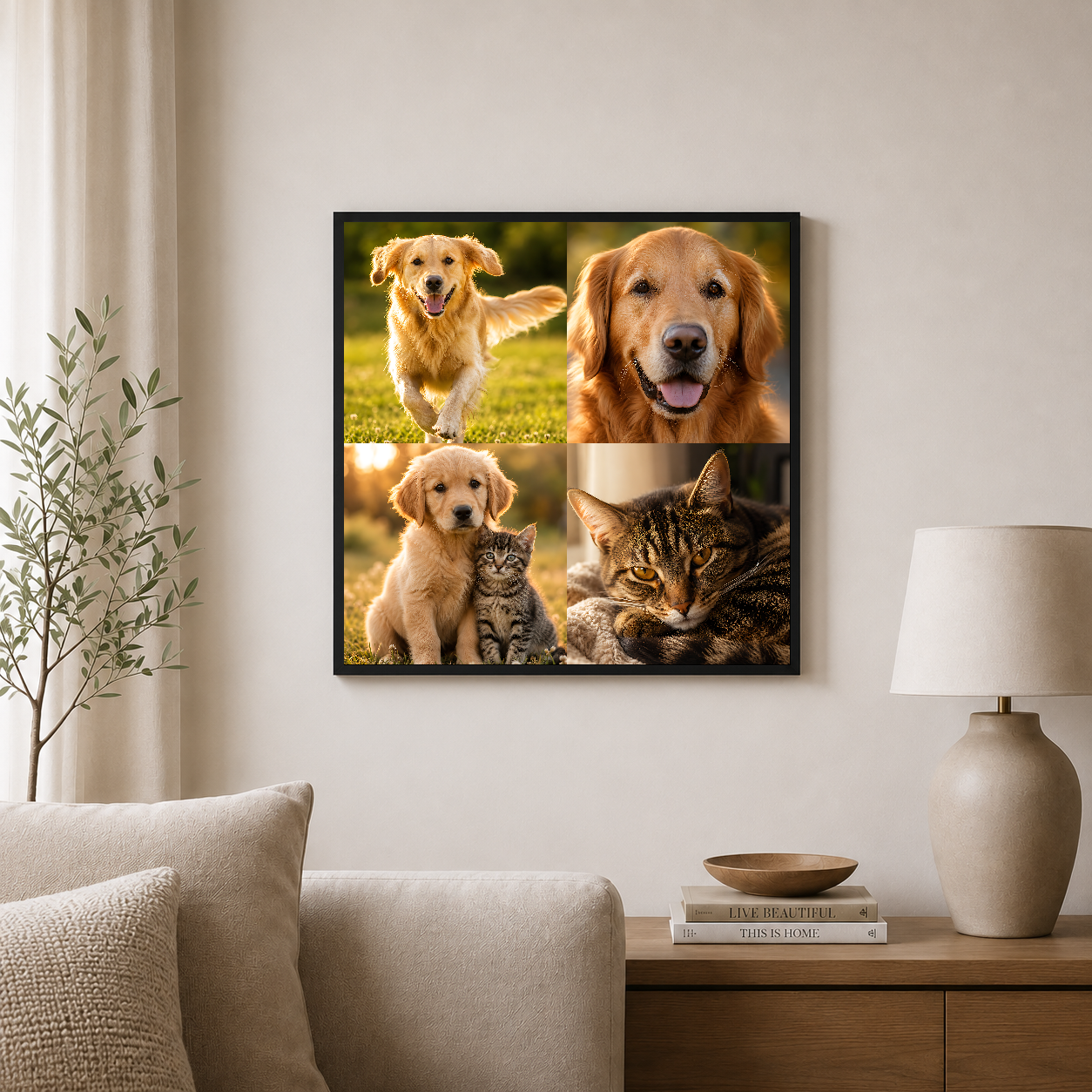
Mockup previewSee your design composited into a framed wall scene before it goes live on your shop.
02 / Calendar Mode
A full 13-page calendar, same tools
Cover plus all 12 months — each one designed independently, exported together.
✓
13-page calendarA cover plus all 12 months, built with the exact same layout tools as poster mode.
✓
Design each month separatelyDifferent photos, different layouts, different text on every page.
✓
Visual filmstrip navigationFlip between months without losing your place.
✓
One-click exportAll 13 pages export as print-ready 300 DPI files in one go.
03 / AI & Print Quality
Sharp prints, even from low-res photos
A built-in upscaler and real-time warnings mean you never send a blurry file to print.
✓
Built-in AI upscalingBundled — no extra software needed to sharpen lower-resolution photos.
✓
Optional Topaz integrationIf you already own Topaz Photo AI or Gigapixel AI, the app detects it and lets you switch to it as an alternate upscaling engine.
✓
Real-time DPI warningsSee instantly if a photo is too low-res to print sharp — before you export, not after.
✓
300 DPI exportEvery file exports print-ready, no manual resizing or resolution guesswork.
04 / Built for Print-on-Demand
Sized right for the services you already use
What you design is what prints — no surprises at Printful, Printify, or Gelato.
✓
POD-correct sizingEvery layout is sized correctly for all major print-on-demand services from the start.
✓
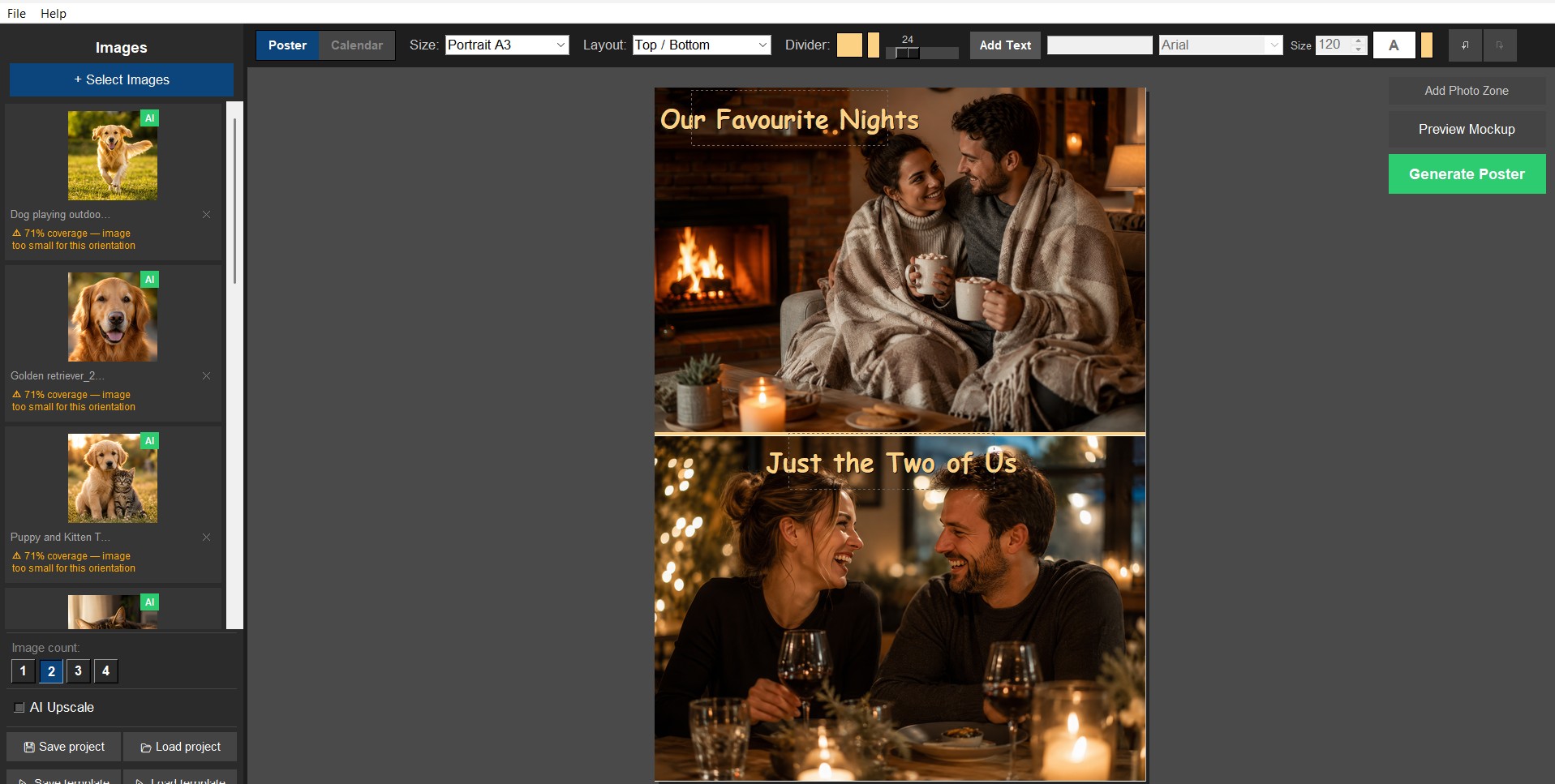
Custom text layersTitles, dates, or captions, with full control over font, size, colour, and position.
✓
Save & reopen projectsKeep editing anytime with .epm project files, or generate as many variations as you like.
✓
Instant download & activationInstall and start designing today; activate with a one-time licence key emailed after purchase.

Pay once.
Own it forever.

No subscription, ever. Free updates included — for life.

Price rises as the app matures. No subscription. No renewal. Ever.

System requirements

Minimum

OSWindows 10 or 11 (64-bit)
CPUAny 64-bit dual-core processor from the last ~8 years
RAM4 GB
Storage~200 MB for the app + bundled model, plus room for output files
Display1280 × 768 or larger

Recommended

OSWindows 10/11 (64-bit)
CPUQuad-core or better
RAM8 GB or more
StorageSSD, plus a few GB free
GPUTopaz Photo AI or Gigapixel AI installed separately (optional)

Poster & Calendar Maker FAQ

Will my exports actually be print-ready for Printful, Printify, or Gelato? +
Yes. Every layout is sized correctly for all major print-on-demand services from the start, and everything exports as a 300 DPI PNG — what you design is what prints.
Does it upload my photos to the cloud? +
No. Poster & Calendar Maker runs entirely on your machine. Your photos never leave your PC — no cloud uploads, no account required.
Is this a subscription? +
No — pay once, own it forever. No subscription, ever. Free updates are included.
What do I get when I buy? +
An instant digital download — install and start designing today. You’ll get a one-time licence key by email to activate the app, plus free update checks built in so you’re always on the latest version.
Does it work on Mac? +
Not currently — this app is Windows only and does not run on Mac, Linux, or Chromebook. Please check before purchasing.

Own Poster & Calendar Maker. From £19.99, once.

Lock in the founder price before it rises. Every future update included — for life.

Scroll to Top