Perpetuity / Poster & Calendar Maker

Poster & Calendar Maker

From raw photos to a 300 DPI, print-ready file — no other design software needed.
Built for the print-on-demand workflow. Windows, one-time payment.

Windows · Founder Access · One-time payment · All future updates included · or try it free for 3 days
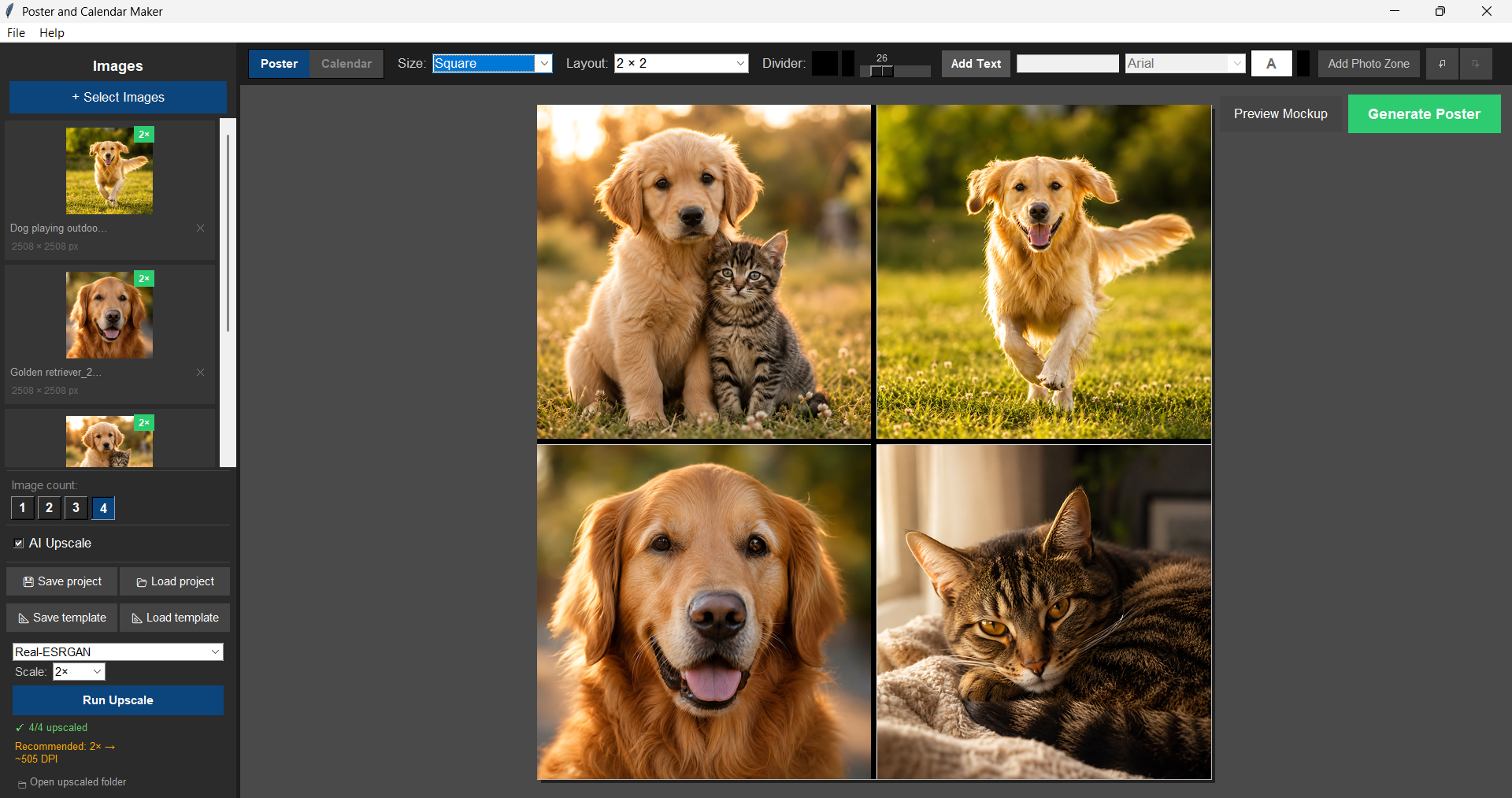
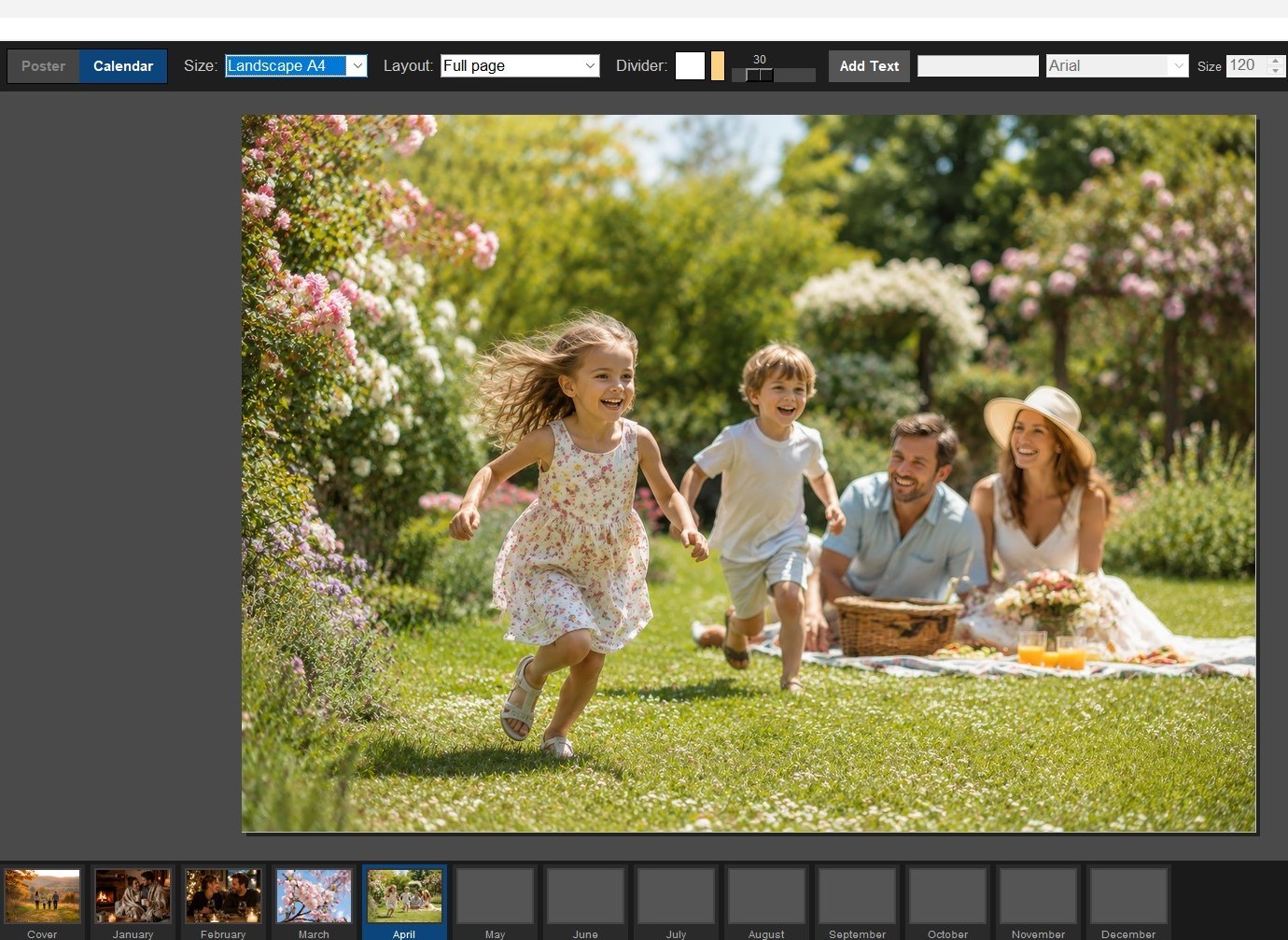
Poster & Calendar Maker — in-app screenshot

Design software and print prep,
in one app.

No Photoshop, no Canva subscription, no separate mockup tool. Drop in photos, lay them out, and export a file that’s already sized for print.

Two tools, one app
Poster Mode for single pieces, Calendar Mode for a full 13-page personalised calendar — cover plus all 12 months. Same layout tools, same drag-and-drop workflow, either way.
Poster Mode Calendar Mode
Built for print-on-demand
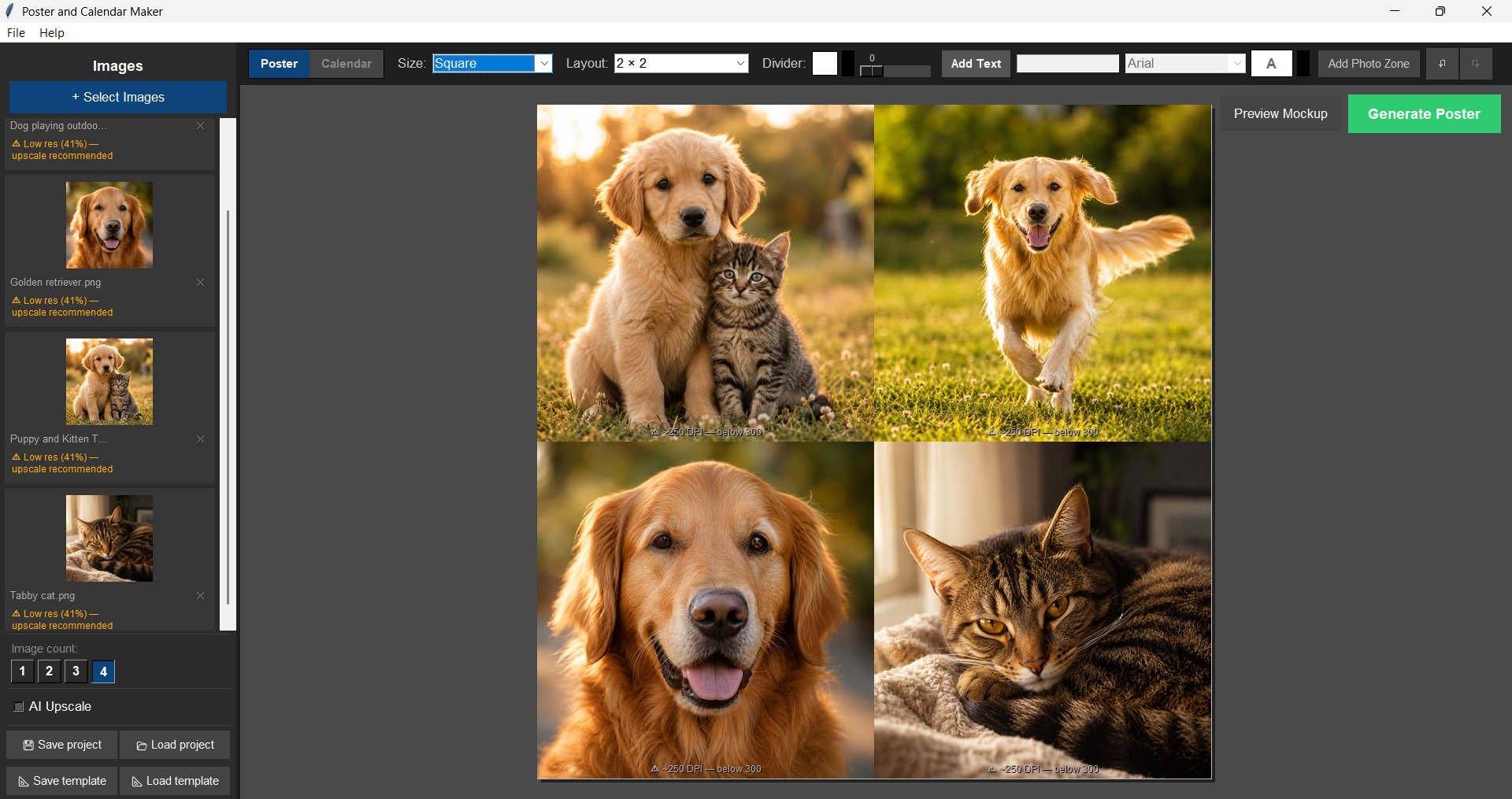
Every layout is sized correctly for Printful, Printify, Gelato and other major POD services from the start. Real-time DPI warnings mean you’ll never send a blurry file to print.
300 DPI export DPI warnings
AI upscaling, built in
Low-res photos still print sharp thanks to a bundled AI upscaler — no extra install required. Already have Topaz Photo AI or Gigapixel AI? The app detects it automatically.
Bundled upscaler Topaz-aware

Everything in Poster & Calendar Maker

A complete, fully working app — everything below is live today.

01 / Poster Mode
From four photos to a print-ready poster
Portrait, landscape, or square — drag photos in, position them exactly how you want, export at 300 DPI.
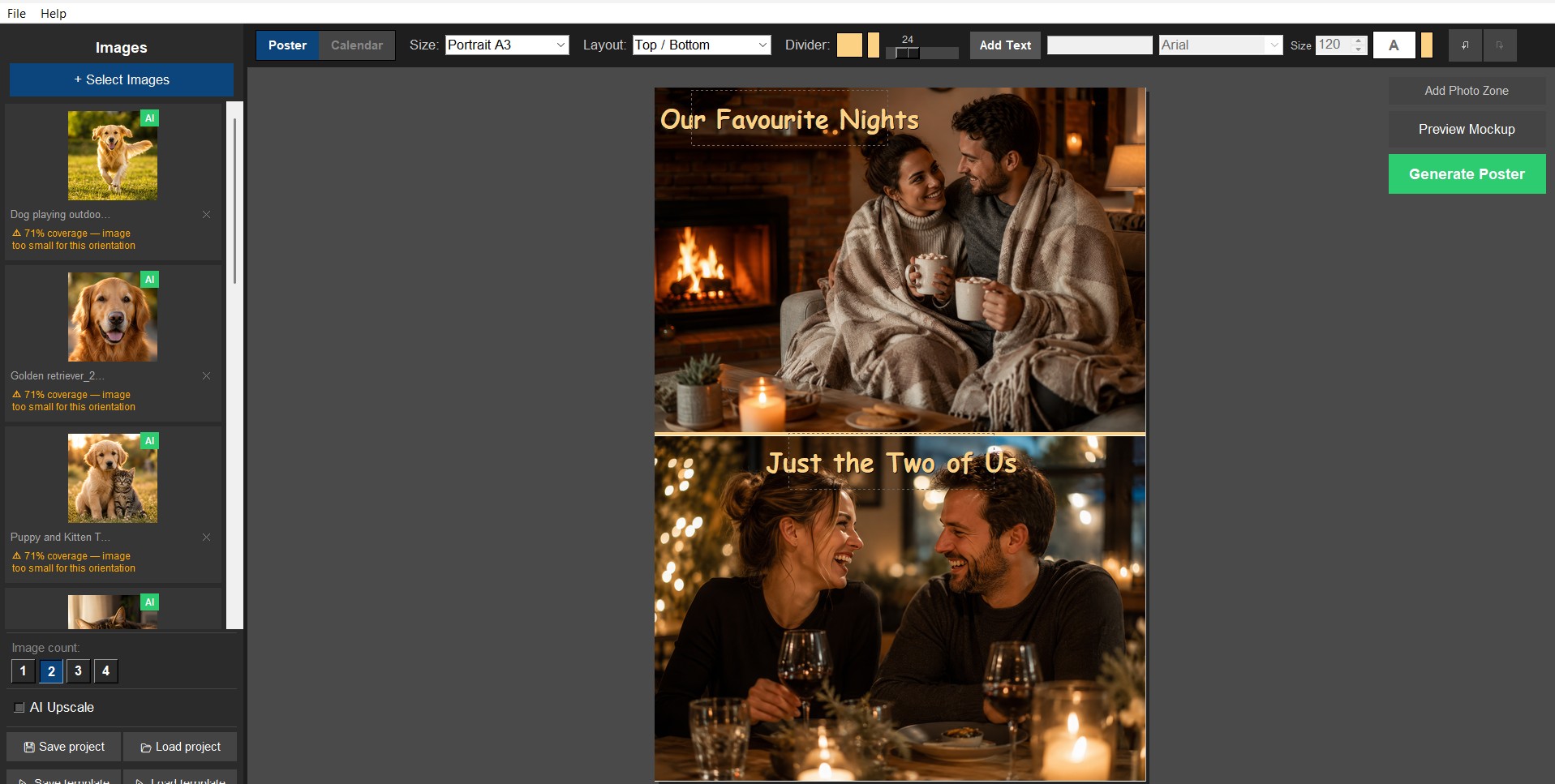
Portrait & landscape layoutsA4, A3, and square (3000×3000px), with 1–4 photo grids that auto-adapt to your photo count.
Independent zoom, pan & cropZoom up to 4× per photo, fill the frame or fit the whole image — your choice.
Drag to swap photosSwap photos between cells with a simple drag, no re-importing.
Custom photo zonesAdd your own custom-shaped zones beyond the standard grid.
Custom divider colour & widthStyle the lines between photos to match the finished piece.
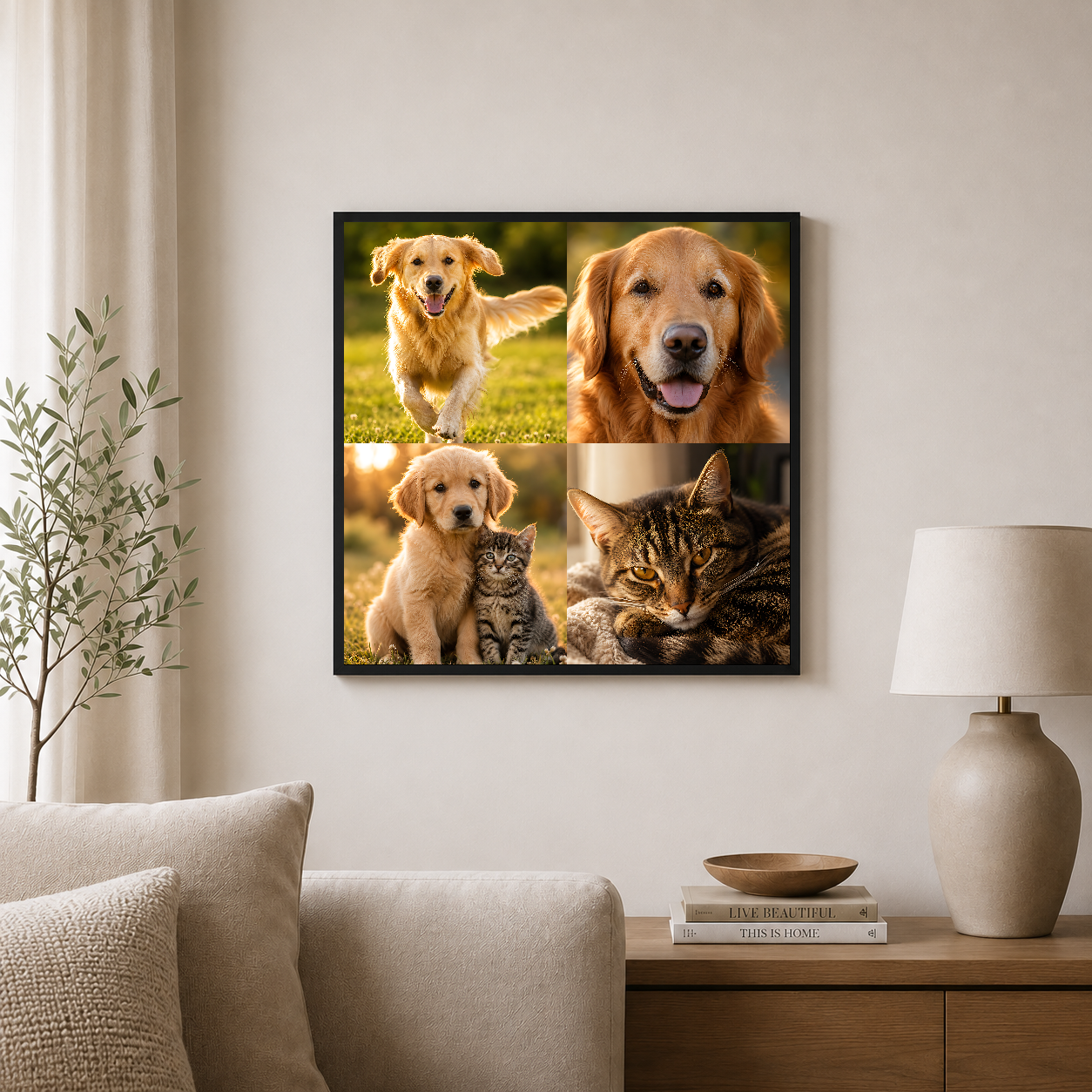
Mockup previewSee your design composited into a framed wall scene before it goes live on your shop.
02 / Calendar Mode
A full 13-page calendar, same tools
Cover plus all 12 months — each one designed independently, exported together.
13-page calendarA cover plus all 12 months, built with the exact same layout tools as poster mode.
Design each month separatelyDifferent photos, different layouts, different text on every page.
Visual filmstrip navigationFlip between months without losing your place.
One-click exportAll 13 pages export as print-ready 300 DPI files in one go.
03 / AI & Print Quality
Sharp prints, even from low-res photos
A built-in upscaler and real-time warnings mean you never send a blurry file to print.
Built-in AI upscalingBundled — no extra software needed to sharpen lower-resolution photos.
Optional Topaz integrationIf you already own Topaz Photo AI or Gigapixel AI, the app detects it and lets you switch to it as an alternate upscaling engine.
Real-time DPI warningsSee instantly if a photo is too low-res to print sharp — before you export, not after.
300 DPI exportEvery file exports print-ready, no manual resizing or resolution guesswork.
04 / Built for Print-on-Demand
Sized right for the services you already use
What you design is what prints — no surprises at Printful, Printify, or Gelato.
POD-correct sizingEvery layout is sized correctly for all major print-on-demand services from the start.
Custom text layersTitles, dates, or captions, with full control over font, size, colour, and position.
Save & reopen projectsKeep editing anytime with .epm project files, or generate as many variations as you like.
Instant download & activationInstall and start designing today; activate with a one-time licence key emailed after purchase.

Pay once.
Own it forever.

No subscription, ever. Free updates included — for life.

Price rises as the app matures. No subscription. No renewal. Ever.

System requirements

Minimum

OSWindows 10 or 11 (64-bit)
CPUAny 64-bit dual-core processor from the last ~8 years
RAM4 GB
Storage~200 MB for the app + bundled model, plus room for output files
Display1280 × 768 or larger

Recommended

OSWindows 10/11 (64-bit)
CPUQuad-core or better
RAM8 GB or more
StorageSSD, plus a few GB free
GPUTopaz Photo AI or Gigapixel AI installed separately (optional)

Poster & Calendar Maker FAQ

Will my exports actually be print-ready for Printful, Printify, or Gelato? +
Yes. Every layout is sized correctly for all major print-on-demand services from the start, and everything exports as a 300 DPI PNG — what you design is what prints.
Does it upload my photos to the cloud? +
No. Poster & Calendar Maker runs entirely on your machine. Your photos never leave your PC — no cloud uploads, no account required.
Is this a subscription? +
No — pay once, own it forever. No subscription, ever. Free updates are included.
What do I get when I buy? +
An instant digital download — install and start designing today. You’ll get a one-time licence key by email to activate the app, plus free update checks built in so you’re always on the latest version.
Does it work on Mac? +
Not currently — this app is Windows only and does not run on Mac, Linux, or Chromebook. Please check before purchasing.

Own Poster & Calendar Maker. From £19.99, once.

Lock in the founder price before it rises. Every future update included — for life.

Scroll to Top