Perpetuity / Luminary

Luminary

The photo and video organiser that takes both seriously.
Faces, events, keywords. Sub-groups within groups. Filter anything, instantly.

Windows · Early Access · One-time payment · All future updates included

Luminary · photo & video viewer

[ app screenshot — placeholder ]

Photos and videos.
Finally, both matter.

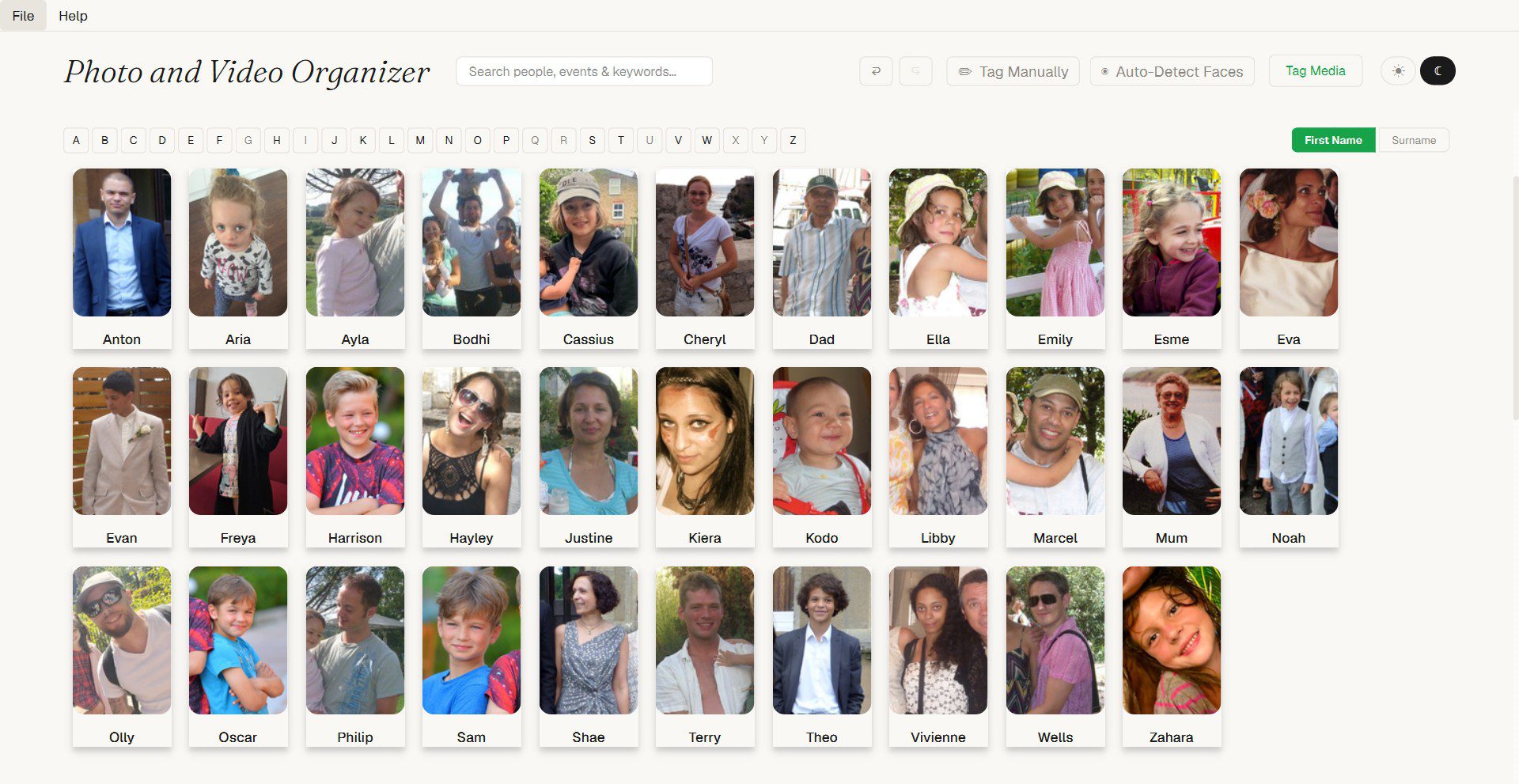
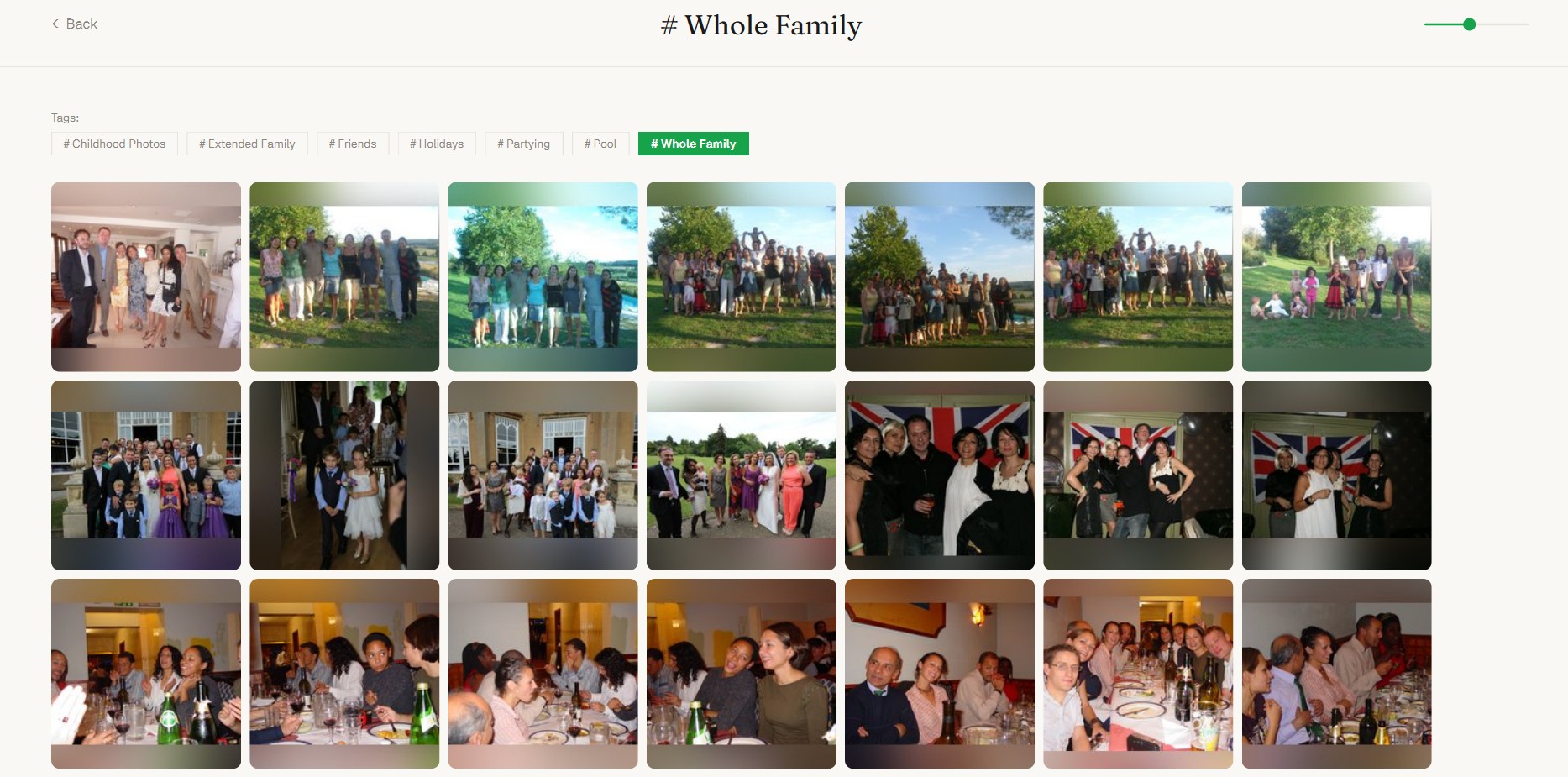
Every other app treats video as an afterthought — or doesn’t include it at all. Luminary handles both with equal care. Browse, organise, tag, bookmark and play back. One library. One app.

Organise the way you think
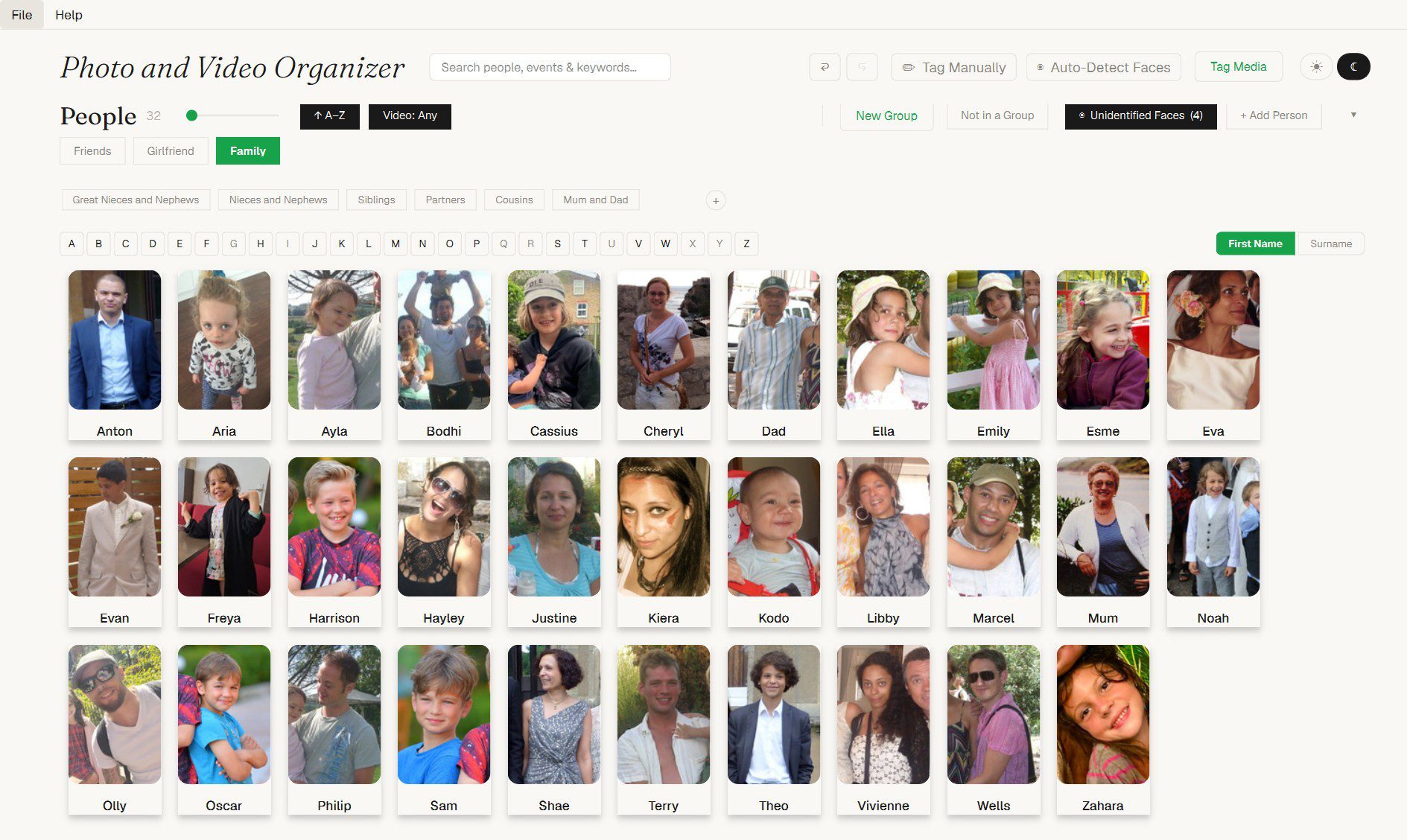
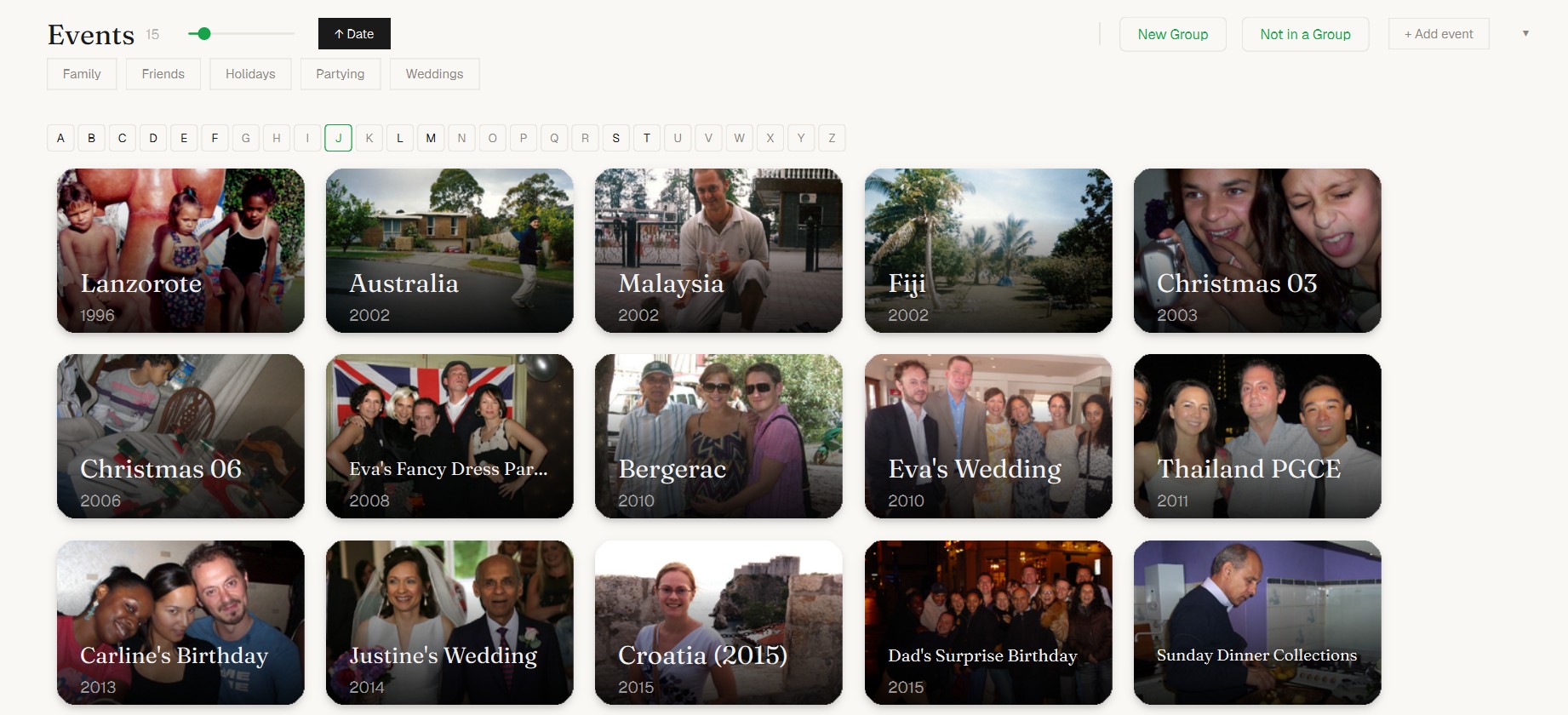
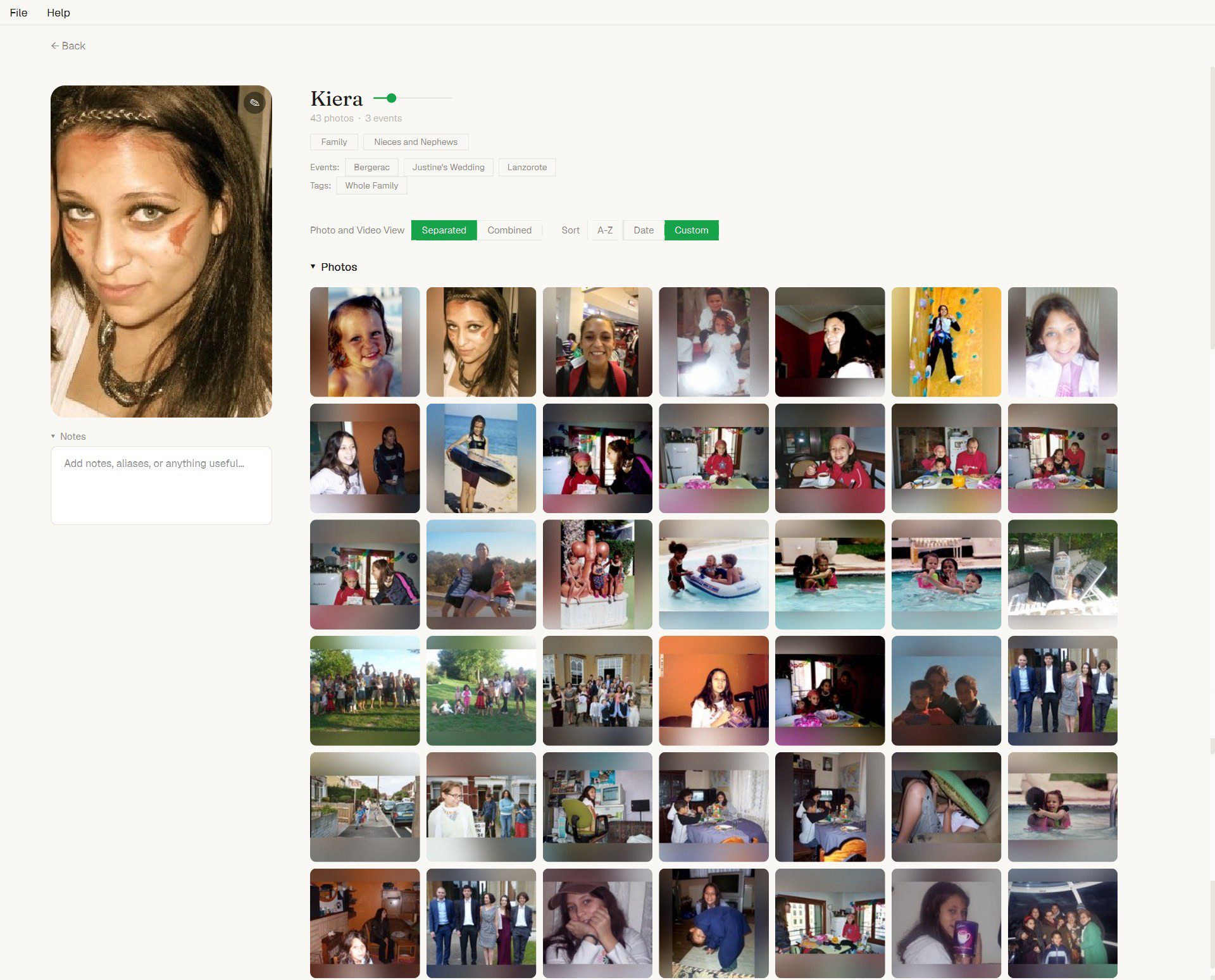
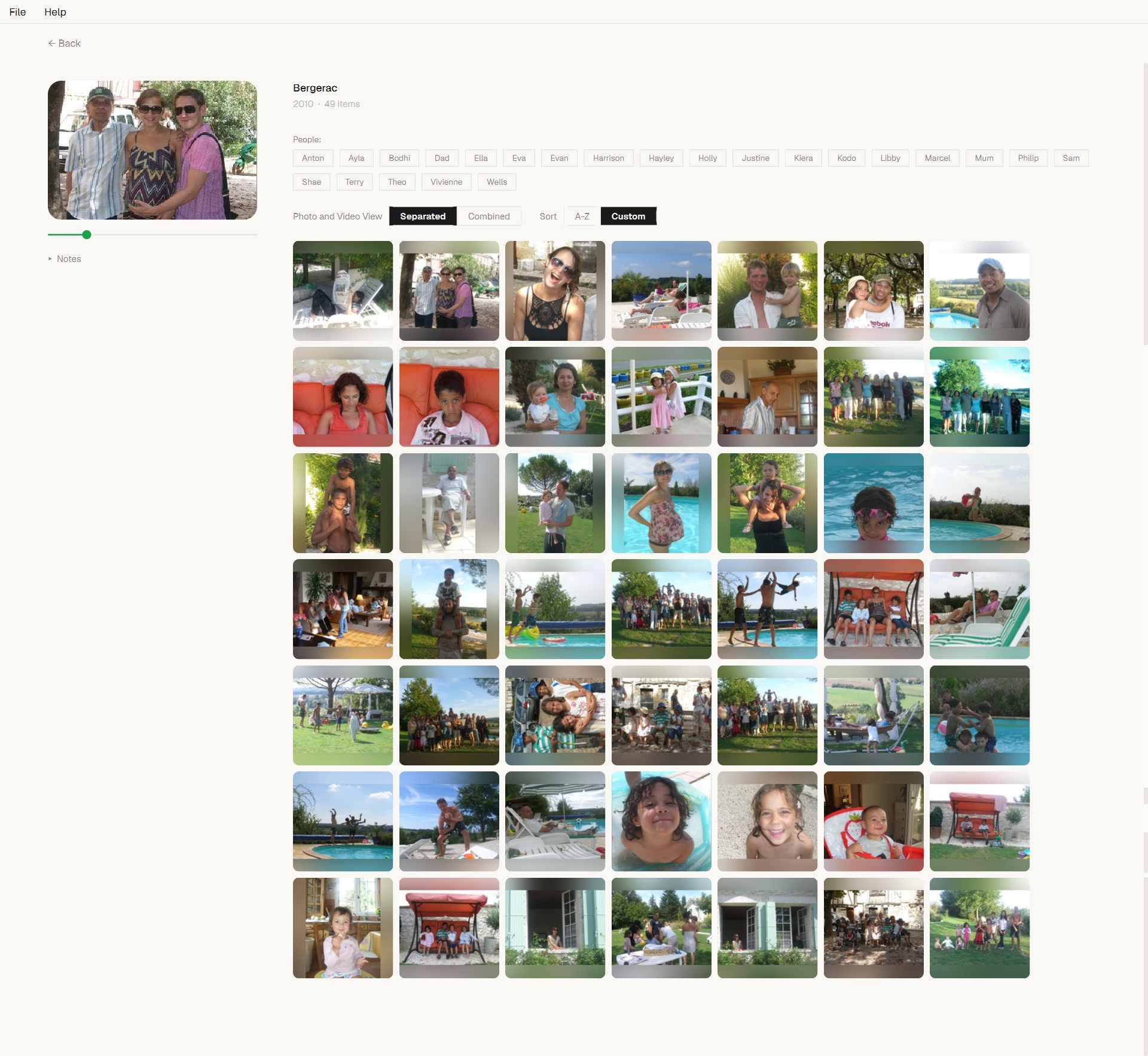
People, Events, Keywords — and Groups within those, with sub-groups within those. Build the structure that matches your life, not someone else’s idea of it. Rename “People” to “Family”, make a “Weddings” group with sub-groups for each one. Your library, your taxonomy.
People Events Groups Sub-groups Keywords
Faces, found and grouped
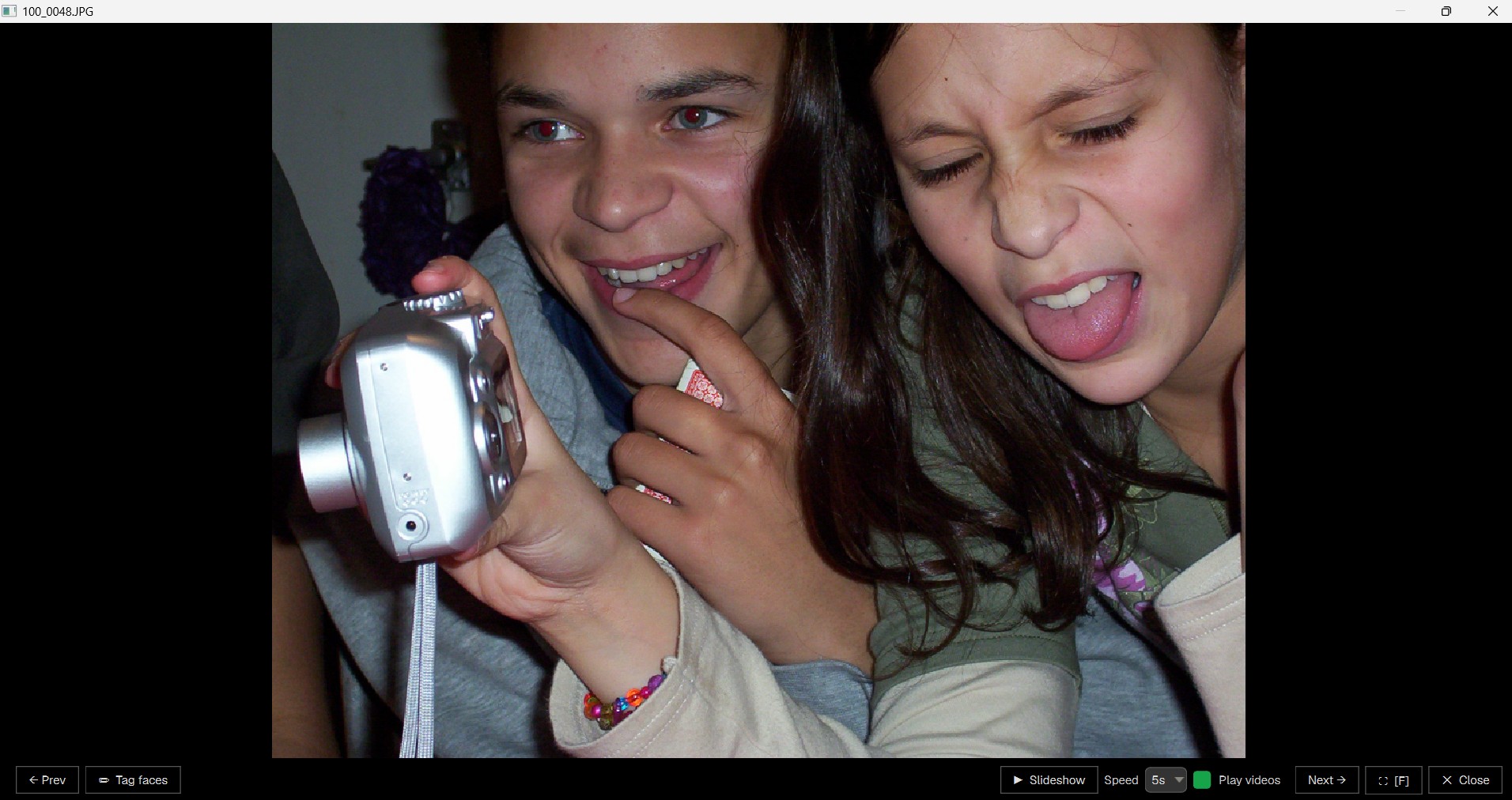
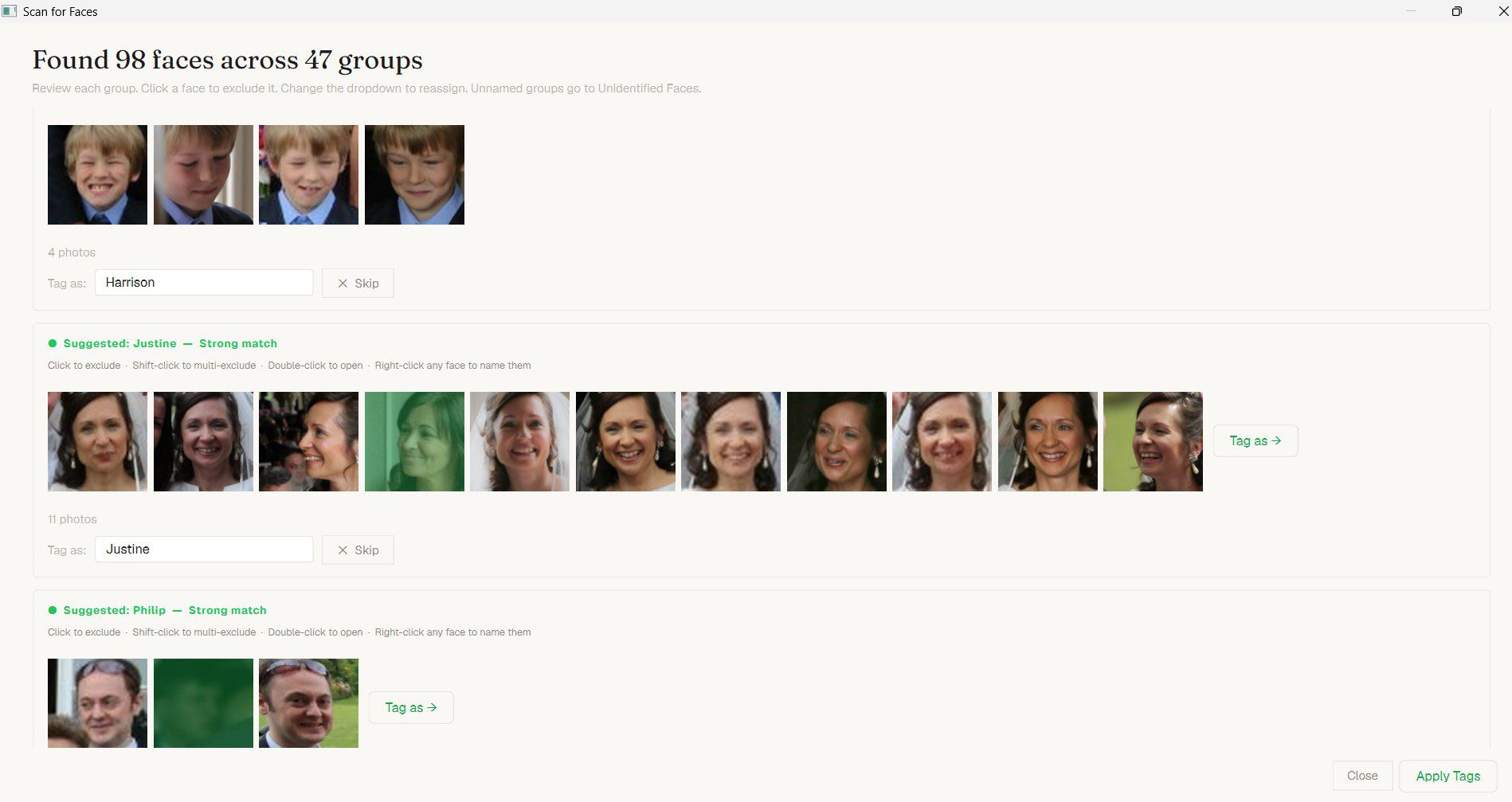
Built-in face detection scans your photos and groups them by person — locally, on your machine. Confirm clusters, name them once, recognised everywhere. Manually draw a face box if the scanner missed someone. Re-scan a single folder when you’ve added new photos.
Local Cluster review Manual tagging
Video as a first-class citizen
Full video playback with bookmarks you can name and jump to — perfect for long event videos. Pick any frame as the poster thumbnail. Filter your library to show only photos, only videos, or both. Twenty-plus video formats supported, including .mp4, .mov, .mkv, .avi, .webm.
Bookmarks Custom posters 20+ formats

Everything in Luminary

What’s already shipped and working today, plus what’s planned next. Available · Planned

01 / Organisation
Build the structure your library needs
A taxonomy you control. People, Events and Keywords as top-level pillars — with Groups, Sub-groups and Categories nested inside.
People, Events & KeywordsThree top-level pillars. Tag a photo with anyone, any event, any keyword — combine freely.
Groups within groups“Family”, “Friends”, “Colleagues” — then a “Work · 2018–2022” sub-group inside Colleagues. Same for events.
Custom categoriesMake your own dimensions: “Location: Paris / Tokyo / London”, or “Mood”, or anything else.
Editable section namesDon’t like “People”? Double-click and rename it to “Family”, “Cast”, “The Crew” — whatever fits.
Drag-to-reorder chipsGroup filter chips arrange themselves the way you want. Order persists.
Notes on people & eventsFree-text notes attached to anyone or anything. Remember the “why” alongside the photos.
02 / Filtering & Search
Find anything in seconds
Stack filters across every dimension. Multi-select OR logic. Sort, narrow, slice — all instant.
Multi-select group filtersClick multiple chips — “Family” + “Work Trip” + “2024” — and see everything that matches any of them.
Sub-group narrowingActivate a parent group and a sub-chip row appears beneath. Drill down without losing context.
Has-video / no-video filterShow only people with video footage. Or only those without. One click.
“Not in a Group” viewFind the orphans — people who haven’t been assigned to anything yet.
Three-state sortingDefault → A–Z → Z–A for people. Default → newest → oldest for events. One button cycles.
Natural language search“Photos of Sarah at the beach in 2022” — typed into one box. Powered by AI.
03 / Faces
Faces, found and grouped — locally
Built-in face detection runs on your machine. No cloud, no upload, no account.
Local face detectionScans photos for faces and presents them as clusters. Confirm with a click.
Cluster review & assignmentReview groups of similar faces, name once. Pre-select a hint person to speed assignment.
Manual face taggingDraw a box around any face the scanner missed. Assign to an existing person or create a new one.
Re-scan single foldersAdded new photos? Scan just that folder, not your whole library.
Unidentified faces inboxFaces the scanner found but couldn’t match queue up for you to identify in your own time.
Auto-recognition across libraryName once, find them in every other photo automatically. Coming with the AI release.
04 / Video
Video, treated with the same care as photos
Bookmarks. Posters. Twenty-plus formats. Full-screen playback. Same library, same tags, same filters.
Named video bookmarksMark “Speech starts”, “Cake cut”, “Funniest bit” — at any timestamp. Jump back instantly.
Pick any frame as posterDefault frame ugly? Set your own thumbnail from any moment in the clip.
20+ video formatsMP4, MOV, MKV, AVI, WebM, WMV, FLV, M4V, MPG, MPEG, 3GP, MTS, OGV, F4V, VOB and more.
Full-screen viewerPhotos and videos open in a full-screen viewer with keyboard nav, volume control and remembered prefs.
Tag videos like photosSame People, Events, Keywords system. Videos aren’t a second-class data type.
Auto chapter detectionAI-detected scene cuts as automatic chapter markers in long videos.
05 / Library & Workflow
Built for libraries you actually live with
Drag-drop import. Undo everything. Portable project files. Works with the folders you already have.
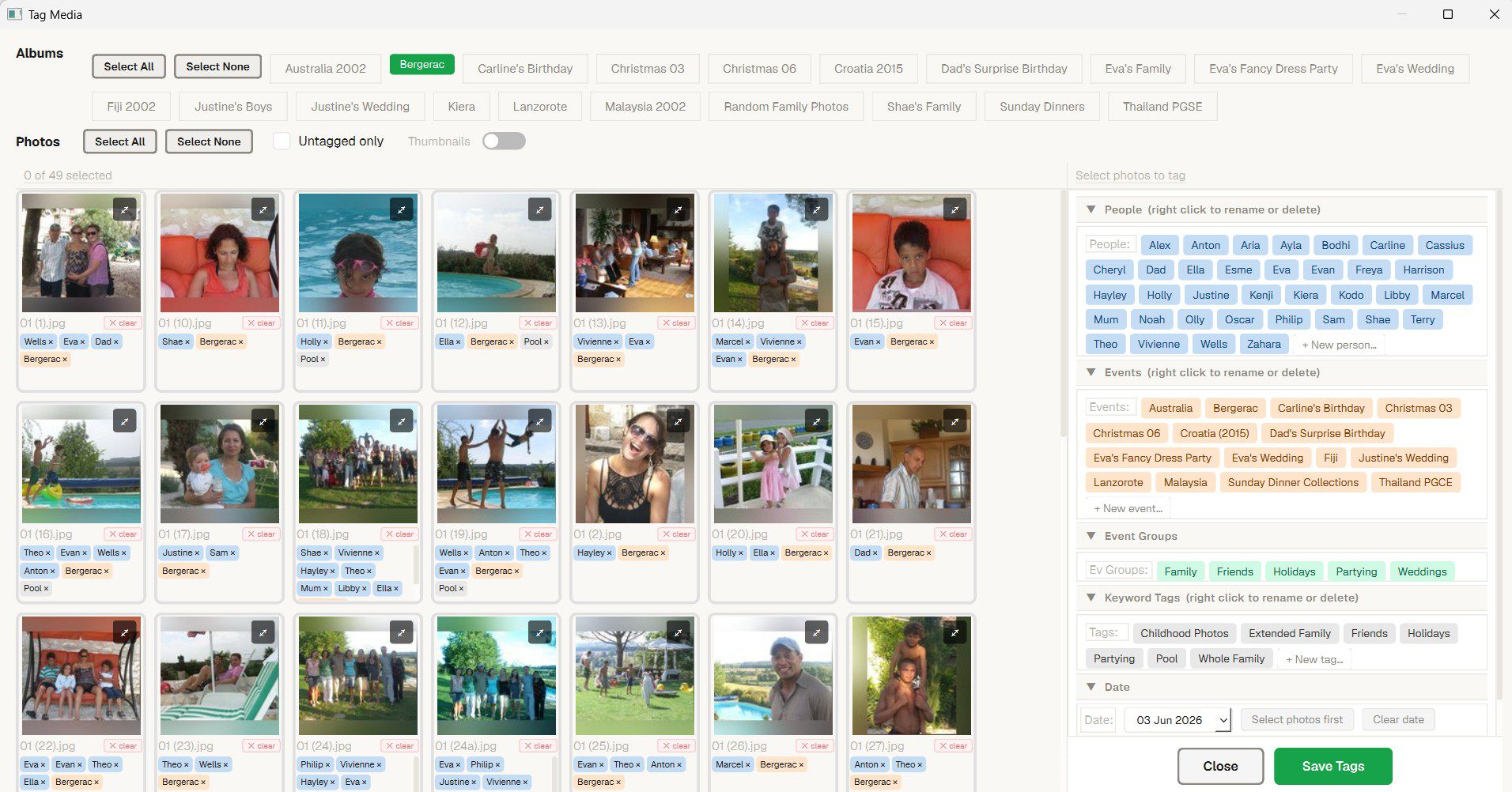
Drag-drop to importDrop photos, videos or whole folders onto Luminary — the Tag Wizard opens to tag them in one go.
Reads your folders as-isPoint Luminary at your existing structure. It never moves, renames, or modifies your files.
20-step undo / redoTagged the wrong person? Deleted a group? Ctrl+Z all the way back. Nothing destructive sticks.
Auto-save, debouncedYour work is saved automatically — no Ctrl+S anxiety. Manual save also available.
Portable .pho project filesYour whole tagged library packs into one file. Move it, back it up, copy to another PC.
Folder remappingMoved your photos to a new drive? Repoint Luminary — every tag follows automatically.
Bulk taggingSelect many photos at once, apply tags in one action. Single undo entry for the whole batch.
Export & share albumsWeb galleries, print-sized exports, shareable bundles. Planned for Phase 4.
06 / Polish
The small things that make it feel right
Light and dark themes. Live size sliders. Custom thumbnails everywhere. Hundreds of details that add up.
Light & dark themesToggle between light and dark — the whole app respects your eyes.
Live size slidersDrag to resize avatar circles or event tiles in real time. Find the density that suits you.
Custom thumbnails everywherePick a perfect avatar for each person, a hero shot for each event, a poster frame for each video.
Circle or square avatarsChoose how people are framed. Per-person shape control if you want it.
Configurable accent colourMake it yours. Pick the highlight colour that runs through the whole interface.
Hover, fade-in & shadowTiles zoom on hover. New cards fade in staggered. Drop shadows give depth. Quietly satisfying.

Buy early.
Save forever.

The price rises as the app matures. Every tier includes every future update — including all AI features.

Early Access
£49
Beta → v1.0
The app is usable and improving fast. Buy now, get everything that ships — including AI features when they land.
Coming Soon
Full Release
£99
At v1.0 launch
The full, polished release. Still no subscription. Still yours forever. Just a higher price as the app is complete.
Coming Soon
All tiers include every future feature and update. No subscription. No renewal. Ever.

Luminary roadmap

What’s shipped, what’s in progress, and what’s coming. We ship updates every week — every release adds features, fixes friction, and gets out of your way. All included in your one-time purchase.

Phase 1 — Foundation · Shipped
✓ Shipped
Photo & video browser
Fast thumbnail rendering, full-screen viewer, 20+ video formats.
✓ Shipped
People, Events & Keywords
Three pillars with custom Groups and Sub-groups within.
✓ Shipped
Portable .pho project files
Pack your whole tagged library into a single shareable file.
Phase 2 — Organisation · Shipped
✓ Shipped
Multi-select OR filtering
Stack any number of group chips. Sub-group narrowing within.
✓ Shipped
Local face detection
Cluster review, manual tagging, single-folder rescan.
✓ Shipped
Video bookmarks & posters
Named timestamps. Pick any frame as the thumbnail.
Phase 3 — AI · In progress
→ In progress
Auto face recognition
Name once, find them in every other photo automatically.
Next
Natural language search
“Sarah at the beach in 2022” — typed into one box.
Next
AI duplicate detection
Find near-duplicates and similar shots. Clean up effortlessly.
Phase 4 — Expand · Future
Future
Timeline view
Chronological scroll across years, months, days.
Future
Export & share albums
Web galleries, print exports, shareable bundles.
Future
Mac & Linux versions
Cross-platform versions of Luminary.

System requirements

Minimum

OSWindows 10 (64-bit)
CPUIntel Core i5 / AMD Ryzen 5 or equivalent
RAM4 GB
Storage200 MB (app only)
Display1280 × 720

Recommended

OSWindows 11 (64-bit)
CPUIntel Core i7 / AMD Ryzen 7 or equivalent
RAM8 GB or more
StorageSSD recommended for large libraries
Display1920 × 1080 or higher

Luminary FAQ

What formats does Luminary support? +
Luminary supports all common photo formats (JPEG, PNG, HEIC, RAW from most cameras) and video formats (MP4, MOV, MKV, AVI and more). We add format support regularly based on user requests.
Will it work with my existing folder structure? +
Yes. Luminary reads your existing folders and doesn’t move or rename your files. You can also add Luminary-specific organisation (person, event, keyword tags) on top of your existing structure without touching the files themselves.
Does it upload my photos to the cloud? +
No. Luminary is entirely local. Your photos and videos never leave your machine. There’s no account, no cloud sync, no data collection of any kind. Everything runs on your PC.
If I buy the Founder price, do I get the AI features when they ship? +
Yes. Every tier — including the £29 Founder price — includes every future feature we build. When AI tagging, duplicate detection, face recognition and any other feature ships, you get it automatically with no additional payment.
Is Luminary stable enough to use now? +
The core features — browsing, viewing and basic organisation — are stable and ready to use. Some features listed as “coming soon” are still in development. We’re transparent about what’s ready and what isn’t. If you need everything to be production-perfect before buying, the Full Release tier will be right for you.
What happens if I buy and then you release a new version? +
You get it for free. Always. That’s the whole point of Perpetuity. Every update, every new version, every feature we ever add to Luminary is included in your one-time purchase. No upgrade fees. Ever.

Own Luminary. From £29, once.

Lock in the founder price before it rises. Every future update included — for life.

Scroll to Top